
Blog
Laptop Accessories That Actually Matter When You Work From Anywhere

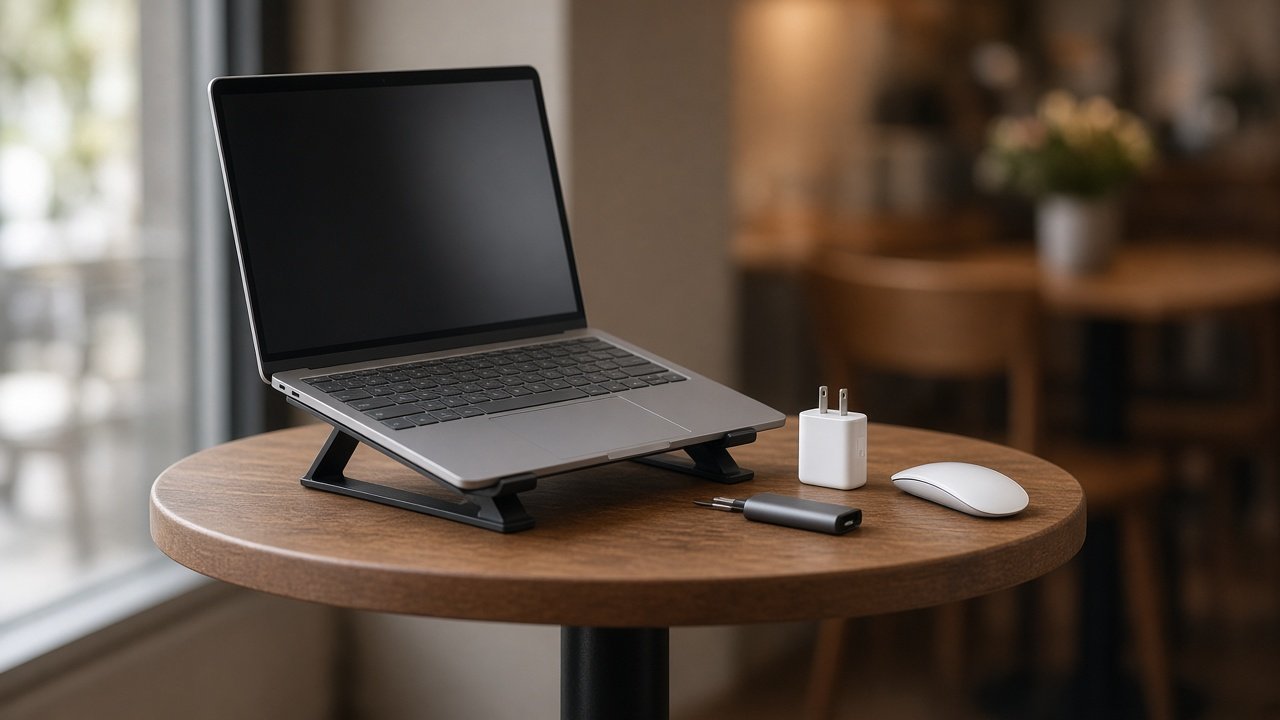
Most “work from anywhere” kits slowly turn into a junk drawer. A cable you used once, a stand you never unfolded, a hub with nine ports you never touch. They ride around in your bag every day and make it heavier for no reason.
The test in this guide is simple: if an accessory doesn’t earn its weight in a day bag, it stays home. We look at four categories that come up again and again for people who work outside a fixed office: USB-C hubs, compact GaN chargers, portable laptop stands and travel mice. For each one, we cover who actually needs it, what to check before you buy, and what’s usually overrated. The right choice depends less on the gadget and more on where you sit down to work.
Start With Where You Actually Work
Before comparing specs, picture your normal week. Most remote workdays happen in one of four places, and each one changes what’s worth carrying.
- Cafe or library. You get one small table, one bag, and outlets you might have to share or hunt for. Anything bulky is a hassle, and noise matters because people are sitting close to you.
- Hotel or short-stay desk. There may be a TV or even a monitor, but the chair and table height are usually wrong for long sessions. Posture becomes the main problem by day two.
- Coworking space or a client office. Power and a display are often already there. The useful accessory is the one that lets your laptop talk to their screen quickly, without asking the front desk for an adapter.
- Flights and airport days. Space is tight and you’re constantly packing and unpacking. Very little is worth pulling out besides a charger and, for some people, a small mouse.
If most of your week is one of these, buy for that setting first. Buying for every possible scenario is how the junk drawer starts.
USB-C Hubs: Ports You Need, Not Ports You Collect
Who it’s for: people who regularly plug into a hotel TV or a coworking monitor, pull photos off an SD card, or need wired ethernet because hotel Wi-Fi drops on video calls.
What to look for:
- The right display output. HDMI covers most TVs and shared monitors. If you plan to use a high-resolution or high-refresh screen, check what resolution and refresh rate the hub actually supports at that port, not just that it “has HDMI.”
- Power passthrough that actually charges your laptop. Many hubs let you plug your charger into them, but they keep some of that power for themselves. If your laptop needs around 65W and the hub passes through much less, you can end up slowly losing battery while you’re “plugged in.”
- Size and cable. A short, sturdy attached cable and a body small enough for a pouch are worth more than an extra port.
What’s overrated: the 12-port “dock in a bag.” It’s heavy, usually needs its own power, and most people use three ports at most. Also be wary of hubs that list lots of features but run hot or drop the display when several things are plugged in at once.
Compact GaN Chargers: One Brick for the Laptop and the Phone
GaN (gallium nitride) chargers are smaller and run cooler than older chargers of the same wattage. For travel, that means one brick can often replace two.
Who it’s for: anyone carrying a work laptop and a phone, maybe earbuds or a tablet, who’s tired of fighting for two outlets.
What to look for:
- Enough wattage for your laptop. Check the charger that came with your laptop or its spec sheet. A charger rated at or a little above that number is the sweet spot.
- At least two ports, ideally two USB-C, and an understanding of how the wattage splits when both are in use. Many chargers that offer 65W on one port share that total once a phone is plugged in too.
- Fold-flat prongs so it doesn’t scratch your screen in the bag, and a weight you won’t be tempted to leave behind.
What’s overrated: a huge desktop-class charger “just in case.” Unless you’re running a power-hungry laptop, it’s dead weight. The opposite mistake is just as common: a tiny 30W charger that can keep a phone happy but can’t keep a work laptop topped up during a busy day.
Portable Laptop Stands: Posture Without a Second Bag
Who it’s for: people who spend several hours at cafe tables or hotel desks and feel it in their neck and shoulders by mid-afternoon.
What to look for:
- Packed thickness and weight. The best stand is the one you actually bring. Fold-flat designs that slide in next to your laptop are far more likely to come along.
- Stability. Cafe tables wobble. A stand that flexes every time you type gets annoying fast, so look for a wide base and firm hinges.
- The keyboard question. Raising the screen to eye level means your hands can’t comfortably reach the built-in keyboard anymore. If you use a stand for long sessions, you’ll probably want a compact keyboard too, so count that in the weight.
What’s overrated: heavy metal stands that are only “portable” on the product page, and carrying a stand on days that are mostly walking between meetings. If you’ll only sit down for 30 minutes at a time, leave it at home.
Travel Mice: When the Trackpad Stops Being Enough
Who it’s for: writers, spreadsheet users, designers, and anyone whose wrist starts complaining after a long day on a trackpad.
What to look for:
- Bluetooth instead of a dongle where you can. Small USB receivers are easy to lose and take up a port you might need for a hub.
- Quiet clicks. In a quiet cafe, a library or on a plane, loud clicks get noticed. “Silent” switches make a real difference.
- Size and power. A slim mouse that disappears into a pouch, with either a long-lasting battery or USB-C charging, so you’re not hunting for spare batteries.
What’s overrated: a gaming mouse in a work bag. They’re often bigger, heavier and louder than you need. And if your day is mostly email and video calls, a second pointing device may not be needed at all.
A Simple Packing Rule: One of Each, Then Stop
Here’s an easy way to keep your bag under control. Allow yourself, at most, one hub, one charger, one stand and one mouse. Then look at your week and drop any category that doesn’t fit it.
Working from cafes all week? The charger and mouse probably stay, the hub may not. Staying in a hotel for a few days? The stand and hub start to earn their place. Mostly at a coworking space with a monitor? A hub and charger may be all you need. Flying? Keep the charger handy and pack everything else away.
This rule also makes it obvious when you’re about to buy a duplicate. If you already have a charger that works, a “better” one is rarely the upgrade that improves your workday.
Quick Recap
- Cafe or library: pack a compact GaN charger and a quiet travel mouse. Skip the big hub.
- Hotel desk: pack a stand, a hub with the right display port, and the charger. Consider a compact keyboard if you raise the screen.
- Coworking or client office: pack a hub that matches their display and your charger. Leave the stand if they have proper desks.
- Flight days: pack the charger. Everything else stays in the bag.
Buy for the place you actually work most often, check the few specs that matter, and let everything else stay on the shelf.
About the author: The TrendRanker team writes practical gear and buying guides for people who work and travel with a laptop. We focus on what actually earns space in a bag, not the latest gadget pile. More of our guides live at TrendRanker.