Blog
Best AI Music Generation Tools 2026: A Real Guide

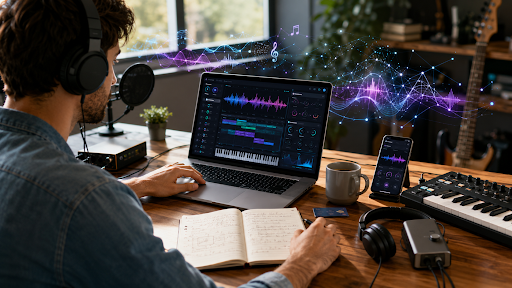
Last month a reader wrote in asking why her YouTube video got muted. She’d picked a random beat off some free site, slapped it under her cooking tutorial, and two days later, there was silence. No warning. Just gone. That’s the world we’re in now. Music rights are messy, and a lot of creators are turning to AI instead of gambling on royalty-free libraries that aren’t always as free as they claim.
So we tested the tools people keep asking about. Here’s our honest take on the best AI music generation tools 2026 has to offer, plus which ones to skip and why.
What Changed in AI Music This Year
A few years ago, these tools made short, robotic loops. Now some of them write full songs with vocals, verses, and a chorus that actually repeats where it should. The gap between a real singer and an AI singer has gotten smaller. Not zero. Small.
The bigger shift is licensing. Suno and Udio both settled lawsuits with major record labels in the past year. That matters if you plan to publish anything commercially. We’ll get to that.
Suno: Still the One Most People Start With
Suno is the tool most beginners land on first, and there’s a reason for that. You type a mood or a genre, maybe a line of lyrics, and it hands you a full track in under a minute. Vocals, drums, structure, all of it.
The free plan gives you enough daily credits to actually test the thing, not just tease it. Paid plans start around $8 a month and unlock commercial rights, which you’ll want if the song is going anywhere public. The Studio tool lets you edit stems after the fact, which is a nice touch—most competitors don’t offer that at this price.
The catch: lyrics can go generic fast.
Udio: Better for Tinkerers
Udio has been created by ex DeepMind scientists, and it definitely reflects in how the tool manages revision. Rather than an “one shot” approach, run a track and continue to tweak it the bridge, instrumentation, and darkening of the mood are all possibilities.
Instrumentals are where Udio shines. If you need something that sounds like a real band playing under a podcast intro, this is closer to that than most tools get. Udio settled with Universal Music Group in late 2025, and downloads were briefly paused across all plans during the licensing transition. Worth checking their current terms before you build a workflow around it.
MusicGPT and the Full-Control Crowd
MusicGPT leans into editing. You can replace a section, remix a track, swap a voice, or extend a song that ended too soon. If Suno feels like ordering off a menu, MusicGPT feels like being handed the kitchen.
That control comes with a steeper learning curve. If you just want a finished song fast, this isn’t the fastest route. If you want to shape every section by hand, it’s one of the better options out there right now.
Background Music Tools: Beatoven and Mubert
Not every project needs vocals or a verse-chorus structure. If you’re scoring a video, Beatoven and Mubert are built for that job specifically.
Beatoven lets you tag emotions to different scenes tense, hopeful, sad and it builds music that shifts with your edit. It’s genuinely good at matching a story arc without you touching a single fader.
Mubert works more like an API than a creative tool. It’s for people who need a constant stream of background music at scale: apps, live streams, and in-store playlists. Less “art,” more “infrastructure.”
The Licensing Question Nobody Wants to Deal With
Here’s the part most guides skip. Just because a tool lets you generate a song doesn’t mean you automatically own it clean. Some platforms grant a license to use the output. That’s not the same as full copyright ownership, and the rules are still shifting as lawsuits settle.
Before you publish anything commercially, check the plan tier required for commercial rights, and keep records of what plan you were on when you made the track. For general background on how the U.S. treats AI-generated creative work, the U.S. Copyright Office’s AI initiative page is a solid starting point.
If you want more breakdowns like this one, our full library of gadget and software reviews lives at gadgetgridz.com, including deeper dives on individual tools as we test them.
How to Actually Choose
Stop thinking about which tool is “best” in the abstract. Think about the job.
Need a full song with vocals fast? Start with Suno. Want to keep reshaping a track until it’s exactly right? Udio or MusicGPT. Scoring a video to match specific scenes? Beatoven. Need background music at scale for an app or stream? Mubert.
Most serious creators end up using two tools, not one a main generator for day-to-day work and a backup for the edge cases the first one doesn’t handle well.
The Bottom Line
None of these tools replace a musician who knows what they’re doing. But for creators who need a soundtrack by Friday and don’t have a studio budget, the best AI music generation tools 2026 offers are good enough to matter some of them more than good enough.
Want more hands-on tool comparisons before you commit to a subscription? Head over to gadgetgridz.com we test this stuff so you don’t have to guess.
FAQ
What is the best AI music generation tool in 2026?
It depends on the job. Suno is the fastest for full songs with vocals. Udio gives you more control to revise tracks. Beatoven is built specifically for scoring video content.
Are AI-generated songs free to use commercially?
Not always. Most tools require a paid plan for commercial rights, and the underlying copyright status of AI music is still being worked out in court. Check each platform’s current terms before publishing.
Can AI music generators write real lyrics, not just filler?
Some can, though quality varies. Suno tends to lean generically on lyrics unless you write your own and feed them in directly. Udio and MusicGPT give you more control over lyrical direction.
Is Suno or Udio better for beginners?
Suno is generally easier to start with type a prompt and get a finished song in under a minute. Udio takes a bit more patience but rewards you with more refined output if you’re willing to revise.
